Running the demo
To run the complete demo of the project, all the requirements in the installation should be fulfilled.
Franka Emika panda interface
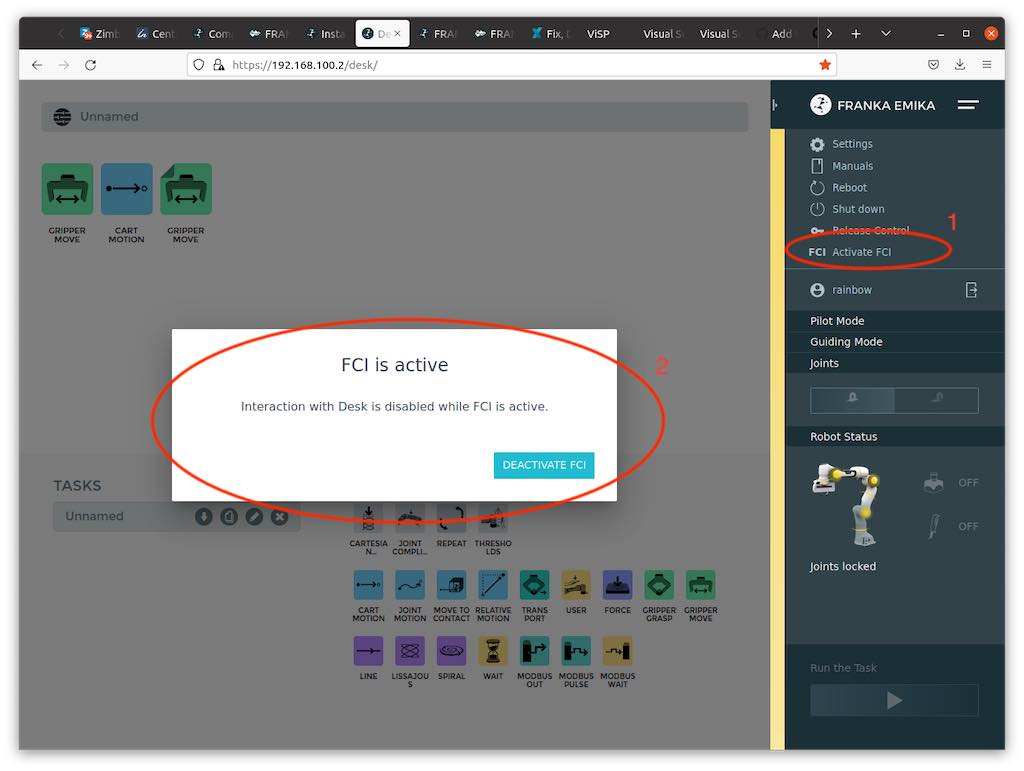
The first thing to do is activate the FCI on the panda robot we want to use for the demo. To do this we should connect to the IP of the robot we want to control, open the brakes, and then activate the FCI.
Launch files
The launch files we want to use are located in the:
-
panda_utils package
-
yolo_bringup subpackage of the yolo_ros package
-
kinect_ros2 package
-
image_processing package
Once the launch files have been launched, we can launch the demo's gui app with:
ros2 run demo_visualization_app color_app "state_color" "human_contact"
we can proceed to:
- activate the impedance controller
- activate the demo
Example of file launching
ros2 launch yolo_bringup yolov8.launch.py model:=yolov8n-pose.pt max_det:=1\
input_image_topic:=/image_raw input_depth_topic:=/depth/image_raw\
input_depth_info_topic:=/camera_info target_frame:=kinect_rgb\
use_3d:=True use_sim_time:=False

ros2 launch kinect_ros2 stream_kinect.py

ros2 launch image_processing launch_yolo_tracker.py measurement_noise:=0.9\
hallucination_threshold:=0.0 single_keypoint_ma_confidence_threshold:=0.80\
ma_confidence_threshold:=0.80 MA_window_size:=10 use_sim_time:=false\
filter:=true debug:=true predict:=false

ros2 launch panda_utils launch_utils.py controller_kp:=1500.0 controller_kd:=140.0\
controller_md:=5.0 controller_rate:=1000.0 alpha:=30.0 task_gain:=0.0\
use_sim_time:=false controller_kp_rot:=100.0 controller_kd_rot:=5.0\
controller_md_rot:=0.5